
Android themes are changing. They have been over the last couple of years. Back in the day, the rage was all-encompassing theming. One theme would change how home screens, settings menus, keyboards, etc looked. These days, everything is modular. You download various components and build the theme from there. Until Android gets system-wide theming, we expect that this is how themes will operate for a while. Here are the best Android themes.

15 Best Android Widgets

10 best icon packs for Android (by developer)
Action Launcher is a great place to start for theming. It comes with some basic theming elements. It can auto-customize the colors of the launcher from the colors on your wallpaper. Additionally, it has a variety of customization options to make everything look pretty much how you want. That includes Android 7.1 style app shortcuts, a quick bar, smart sized icons, and elements from the Google Pixel Launcher. It's also a rock solid launcher app. You can do all kinds of fun Android themes with this one and a little elbow grease.
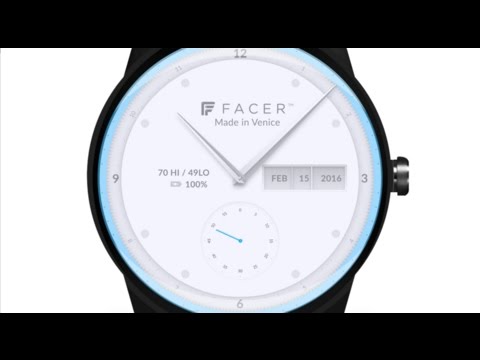
Android Wear has an extensive theming system. Facer and WatchMaker are probably the pinnacles of that. Both of them allow you to custom make watch faces for your Android Wear device.You can also find thousands of watch faces from other people. You can upload your designs and contribute to that number as well. Facer also supports Gear S2 and S3 devices. Those with Android Wear can use theming apps like these to make their watches look just as awesome as their phones with a little bit of work.
Android themes are extendable beyond the home screen. Chrooma Keyboard has a unique feature for just that. It'll change the color of the keyboard for each app you use. It works really well most of the time. That's a really fun little theming option that always makes the keyboard look like it belongs to the app. Other keyboards have individual themes that may work with your overall vision. However, apps can't be themed as much these days. That makes Chrooma a more compelling option for Android themes.
Evie Launcher doesn't actually have Android themes. What it excels at is being very customizable. You can add custom grids to your dock and change how your app drawer works. You can also remove icon labels for a more minimal look. There are also custom shortcuts that complete actions such as calling an Uber or getting directions to go home. The app otherwise gets out of the way so you can add a wallpaper, icon pack, and additional Android themes without the launcher getting in the way. It's also totally free and we like that.
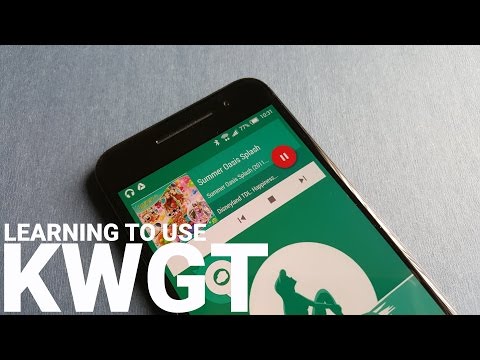
KWGT and KLWP are two of the most popular theming apps out there right now. KWGT is a custom widget maker. It features a ton of various features to make the widgets that you want. The app has support for Google Fit, most sensor data, weather, and even stuff like custom made countdown timers. It also has Tasker support for even more functionality. KLWP is a live wallpaper maker. It features a WYSIWYG editor that lets you create as you see fit. It also shares many features with KWGT. These are excellent for Android themes.

15 best Android apps of 2017

15 best Android launcher apps of 2017
Navbar Apps themes your softkey buttons. Its basic function works a lot like Chrooma Keyboard. It changes color for whatever app you're using. You can also change it to any color if you want. It also includes various images, a battery gauge, and more. The developers also accept requests for custom images for future updates. There are some downsides. For instance, it won't work with some Huawei phones. You can try most of the features for free. The paid version unlocks all of the features.
Nova Launcher is probably the best launcher app out there. It's also excellent for Android themes. It has a ton of customization options. You can make it look pretty much however you want. It supports icon packs, sub-grid positioning, color controls, a scrollable dock, and more. There are also Nova Launcher themes in Google Play that add a bit more to the mix. The paid version adds some extra features. You can also get a plug-in that adds notification badges on apps. This is a good place to start.
UCCW is one of the most popular custom widget apps. It has a WYSIWYG editor. That way you can see what your widget looks like as you make it. You can add all kinds of functionality, including calendar events, weather, battery, missed calls, various notifications, location, and more. It also has support for Tasker. You can download additional skin packs as apps in Google Play. You can also import widgets made by other people. It has a few bugs here and there. There is also a bit of a learning curve. Aside from that, it's good.
Android themes require good wallpapers. Wallpapers HD is about as good as it gets. The app will try to determine your screen size. From there, it'll show you wallpapers for that screen size. No more guessing whether the wallpaper fits right or not. It boasts 80,000 wallpapers with more added daily. It also has a tag system for searching and categories for easy browsing. It's free with no in-app purchases. It does have ads, though.
Android doesn't have native theming. That's part of what makes Android themes so difficult. However, many OEMs have theming in their skins. Samsung, HTC, LG, Huawei, MIUI, and others do have theme engines. You'll have to do into your settings menu or the individual OEM app store in order to find them. These can change the color and theme of your icons, background, quick settings, settings menu, and other elements that normal theming methods can't get to. They're not overly diverse and some of them cost money. However, it's a good place to start if you don't have stock Android.
10 best sources for HD Android wallpaper and QHD Android ...

10 best live wallpaper apps for Android
If we missed any great Android themes, tell us about them in the comments! Also, if you're a bit new at this, you can find a plethora of tutorials on Reddit and XDA-Developers. Both sites have some pretty hardcore theming threads! You can also click here to check out our latest Android app and game lists!
from Android Authority http://ift.tt/1MUWuM4
via
IFTTT









0 Response to "10 best Android themes"
Post a Comment