Introduction
Following recent events, the Honor 20 Pro might turn out to be one of the best value smartphones you won't be able to get, ever. No matter how things unravel in the next few months, we decided to make a review just in case because this is Honor's great alternative to pricey flagships. Of course, it's not the Huawei P30 Pro but it does give the phone a run for its money.
It has what it takes to be a modern day flagship device - full-screen design (excluding the punch-hole camera, of course), big battery, flagship SoC and a quad-camera setup with all four units having a purpose of their own.
Unfortunately, though, the display is where Honor had to cut some corners. The use of IPS instead of OLED might put off some users, especially those that are coming from OLED and will most probably miss those deep blacks.

But if that's none of your concern, the Honor 20 Pro has a few great selling points with photography being the centerpiece of the action. We saw what the Honor View 20 can do with the 48MP sensor and the Honor 20 Pro does it even better with some additional help from a more refined software, improved night mode and OIS.
Honor 20 Pro
- Body: 154.6 x 79.97 x 8.44 mm, 182 grams, glass front and back, metal side frame.
- Screen: 6.26" All-view IPS LCD, 1080 x 2340px resolution; ~412 ppi.
- Chipset: HiSilicon Kirin 980 CPU; (2x2.6 GHz Cortex-A76 & 2x1.92 GHz Cortex-A76 & 4x1.8 GHz Cortex-A55); Mali-G76 MP10.
- Memory: 8GB RAM, 256GB built-in storage.
- OS: Magic 2.1 UI based on Android 9.0 Pie.
- Rear camera: Main: 48MP, f/1.4, PDAF, EIS, OIS, AIS; Ultra-wide: 16MP, f/2.2, 117° FOV, no AF; Telephoto: 8MP, f/2.4, OIS, 3x optical lossless, 5x hybrid; Macro: 2MP, f/2.4, 4cm fixed focus; LED flash; Laser autofocus; 2160p@30 video recording with all cameras except for the macro.
- Front camera: 32MP, f/2.0; 1080p@30fps video recording.
- Battery: 4,000 mAh, 22.5W SuperCharge fast charging.
- Misc: IR blaster, side-mounted fingerprint reader, punch-hole camera design, Vitual 9.1 Surround Sound (with headphones only), Dynamic Holographic back design coming in Phantom Blue and Phantom Black.
One thing that bothers us is the rather subtle segmentation between the vanilla Honor 20 and the Pro version, which we are reviewing. There aren't many differences that set those two apart - hardware-wise and feature-wise. Even the screen size is the same but perhaps good pricing strategy will take care of the issue.
Unboxing the Honor 20 Pro
The handset came in its original packaging containing all the usual stuff like user manuals, SIM ejection tool, USB-A to USB-C charging/data cable and 22.5W-capable fast charging brick.
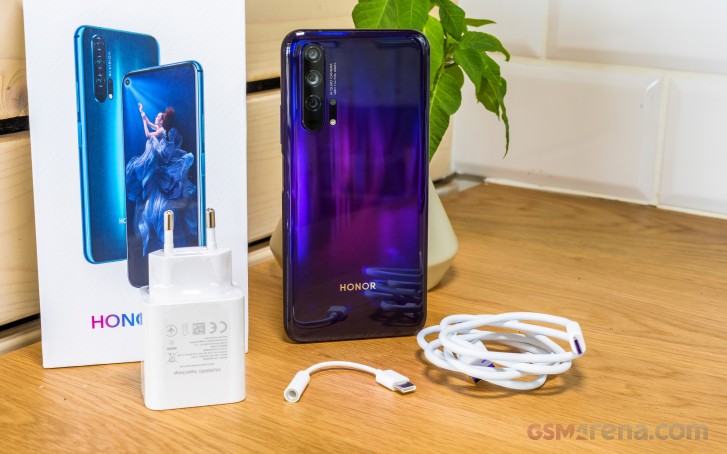
Since the Honor 20 Pro doesn't have a 3.5mm audio jack, there's a dongle in there as well. And although there was a compartment in the box which could have easily fitted a protective case, we didn't get one bundled with our review unit. Perhaps other markets will be luckier. But let's check out the phone iteself.
Design and build
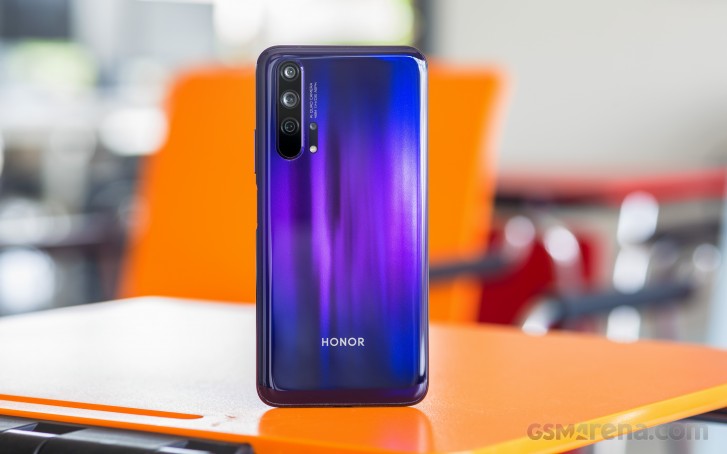
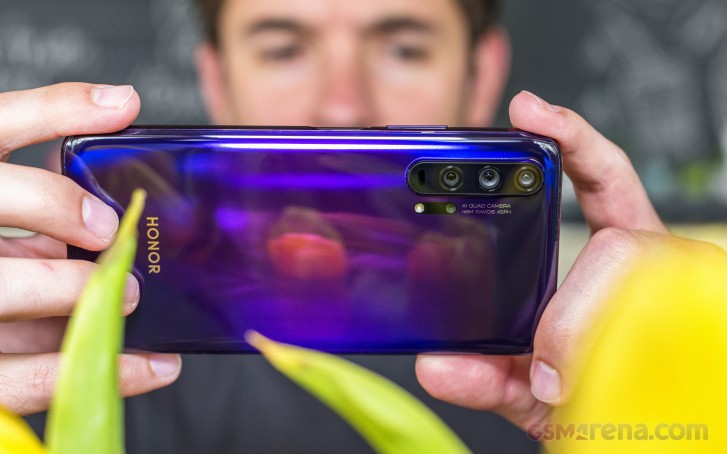
The design and build materials are nothing short of premium. Honor is very proud with the 20 Pro's design and uses glass for the front and back and metal for the side frame. Moreover, the Honor 20 Pro features the so-called Dynamic Holographic glass back design giving you that sense of depth.
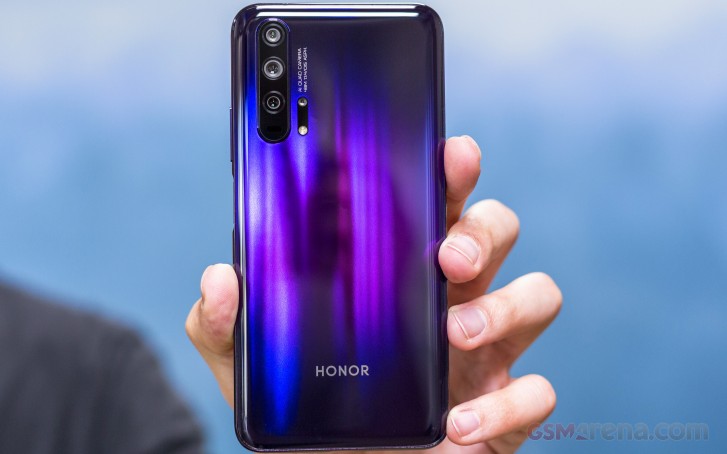
Honor was nice to tell us more about the process behind the mesmerizing gradient and the manufacturing. It consists of three layers - one color layer, one standard glass sheet, and a so-called depth layer. The first two are pretty self-explanatory but the latter is made of millions of tiny prisms. They are diamond-shaped and when the light hits them, it gets defracted and it illuminates the neighboring prisms, thus creating that 3D effect.
Honor says the back is so hard to manufacture that the majority of the manufactured glass backs are discarded while only a small portion ends up integrated into actual phones.
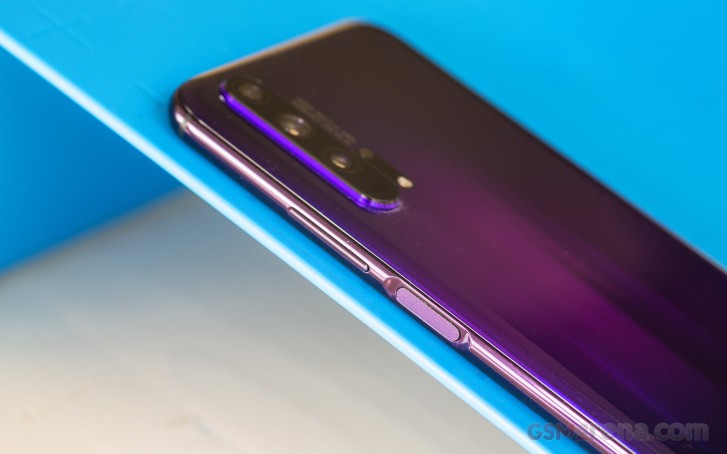
And while we are on the subject, the Honor 20 Pro has one considerable advantage over the standard Honor 20 - it has a curved back to the sides. It helps with the grip, lies more comfortably in hand, but it can only do so much with the slippery nature of the glass. Also, there's that big lump for three of the cameras in the upper left corner. The camera module is sticking out enough to make the phone wobble when placed flat on its back. The fourth macro lens along with the LED flash is positioned separately from the rest.
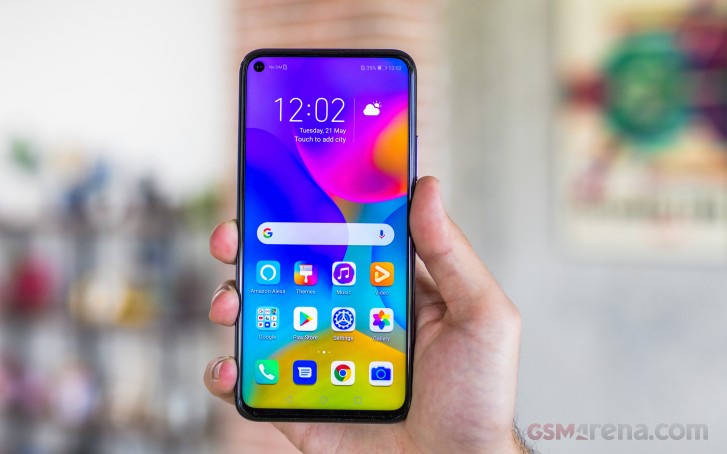
Going to the front side, we get to see almost a full-screen design with the only thing obstructing it being the front-facing camera hole. It's 4.5mm in diameter, just like the one on the Honor View 20, and we found it to be a bit distracting. It is better than the notch subjectively and mathematically speaking but we got spoiled by Samsung's rather more discrete implementation of the camera. That's because the Galaxy S10-series have OLED panels, which are easier to cut. LCD panels require a thicker border around the camera itself to help prevent light from the display's backlight going into the sensor. It's a small niggle really, and certainly not as bad as the Moto One Vision's.
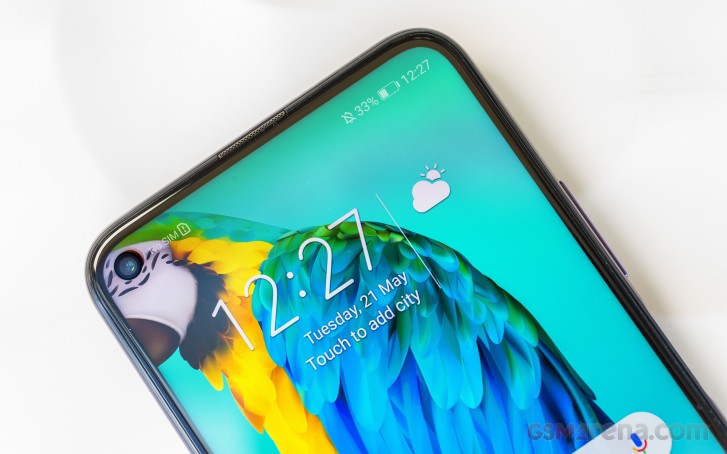
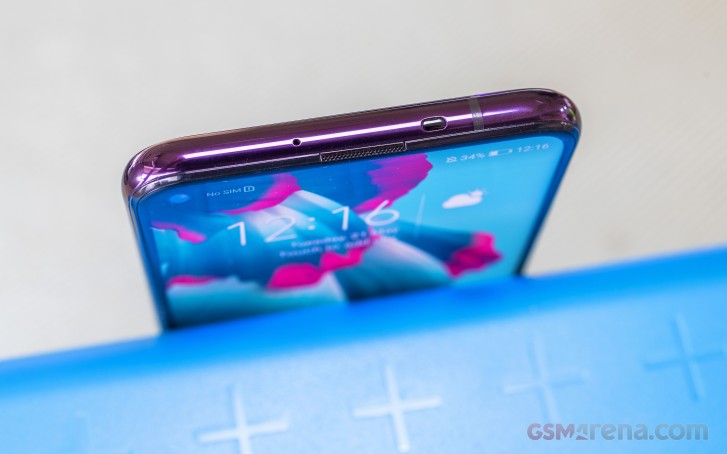
As far as bezels go, however, they are pretty thin. The top and side bezels look identical while the chin is just a tad thicker. The top one is big enough to accommodate the earpiece along with the ambient and proximity sensors. And since there's no room left for the LED notification light, Honor decided to put it under the earpiece grille. It kind of reminds us of the HTC One back in the day, which had the LED peeking from within the earpiece.
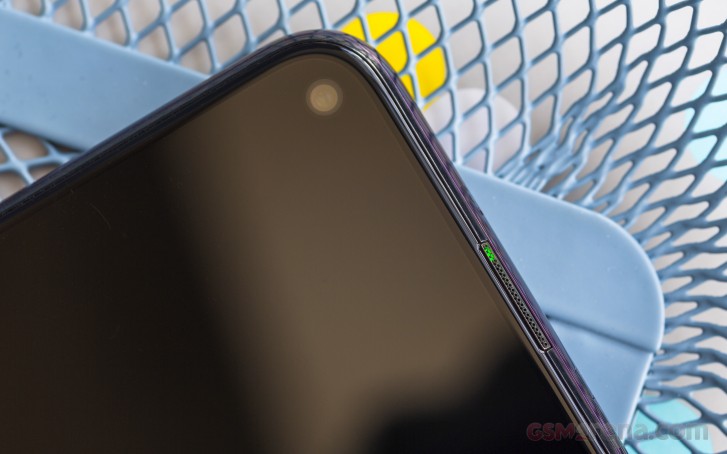
As we go around the side frame, we find something unusual at the top. That's an IR blaster so you can control some of your appliances with the smartphone. A pretty neat feature that has become a rare commodity these days. Another rare sighting is the 3.5mm jack, and unfortunately, it remains non-existent in the Honor 20 Pro as well. There's only the USB-C connector, the main microphone and the loudspeaker grille on the bottom.
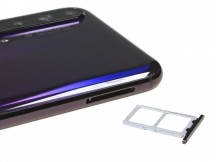
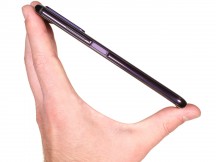
The SIM card slot is located on the left-hand side. On the right, we find the volume rocker and the fingerprint reader that doubles as a power button. It's positioned perfectly within your thumb's reach, and it's super easy to find without looking.
The scanner is so fast that a gentle touch is all you need to unlock the device. You don't even have to press it down. It's one of the fastest fingerprint readers we've used. After all, Honor had to make up for the lack of the trendy under-display fingerprint reader - something most flagships have already embraced this year.
Another thing that we've noticed is the relatively high weight for the phone's size. For a handset with a 6.26-inch display, the device is rather hefty at 182 grams. Still, it feels good in the hand, and if you have above average hands size, it will also be easy to use with one hand.
All in all, as we already pointed out, the phone's chassis is nothing short of premium, so we have no major complaints here.
Here's a full 360-degree view of the Honor 20 Pro.
IPS LCD panel with a punch-hole front-facing camera
The Honor 20 Pro has a 6.26-inch IPS LCD panel with a punch-hole front-facing camera design with fairly thin bezels all-around. Unfortunately, for a flagship device, we expected OLED but costs had to be kept down. Regardless, this LCD offers pretty good image quality overall. We did notice, however, a small light bleed around the camera hole and the chin. It's not as prominent as on the Honor View 20, but it's there.
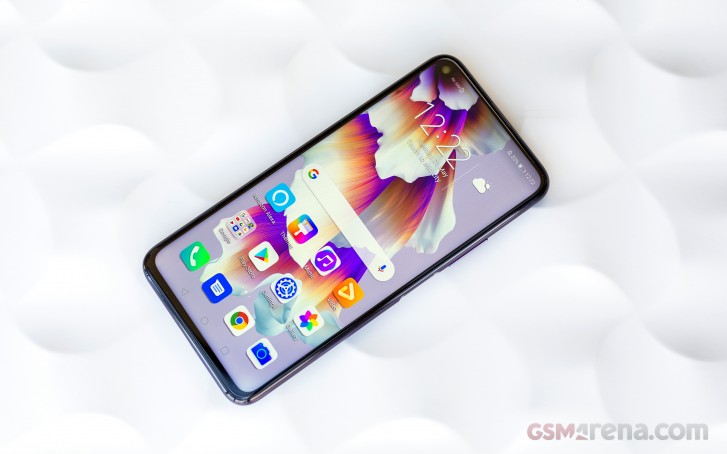
Our tests show that the screen can go up to 485 nits of maximum brightness and if you set it on Auto mode, it can boost just a tad more - up to 507 cd/m2. That's enough for fairly comfortable outdoor use as at these brightness levels, sunlight legibility is good. Still, it's not the highest we've seen for sure.
| Display test | 100% brightness | ||
| Black, cd/m2 | White, cd/m2 | ||
| 0.397 | 485 | 1222 | |
| 0.32 | 449 | 1403 | |
| 0.326 | 508 | 1558 | |
| 0.365 | 479 | 1313 | |
| 0 | 389 | ∞ | |
| 0 | 803 | ∞ | |
| 0.353 | 424 | 1201 | |
| 0.399 | 455 | 1140 | |
| 0 | 449 | ∞ | |
| 0 | 635 | ∞ | |
Our testing took us further and checked color accuracy as well. Out of the box, the phone is set to Vivid mode, which has blue-ish whites and the average dE2000 is 6.4. Switching over to Normal mode will adjust the color temperature aligning with the most common neutral white point (D65) in sRGB mode. The average dE2000 goes down to 1.7, which is a great result if you are looking for good color accuracy.
Once again, we wished that Honor used an OLED considering the asking price of the handset although, less pretentious users won't mind the IPS display - it's a decent one after all.
Battery life
The Honor 20 Pro adopts a 4,000 mAh battery - a fairly generous amount of juice but not a record-breaker, that's for sure. On the other hand, the results from our tests are exceptional. Regarding the screen-on tests and the 3G talk time, the Honor 20 Pro got almost identical scores to the Honor View 20, which has roughly the same display, the same 4,000 mAh unit inside and a Kirin 980 chipset running the show. However, the Honor 20 Pro's overall battery endurance score is higher mainly due to its impressive standby readings. An overall endurance score of 104h is downright impressive and puts it near the top of our battery chart.
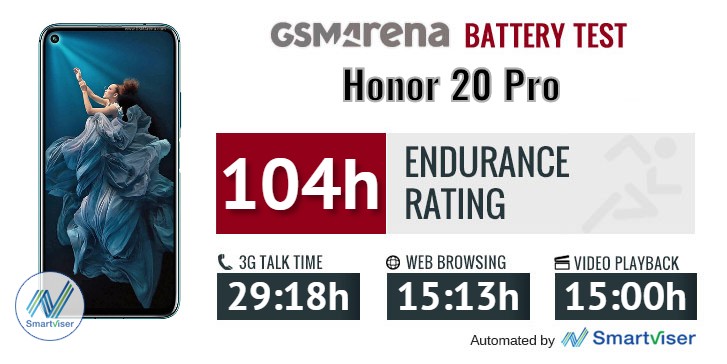
Our battery tests were automated thanks to SmartViser, using its viSer App. The endurance rating above denotes how long a single battery charge will last you if you use the Honor 20 Pro for an hour each of telephony, web browsing, and video playback daily. We've established this usage pattern so that our battery results are comparable across devices in the most common day-to-day tasks. The battery testing procedure is described in detail in case you're interested in the nitty-gritty. You can check out our complete battery test table, where you can see how all of the smartphones we've tested will compare under your own typical use.
In terms of charging speed, the Honor 20 Pro comes with a 22.5W-capable charger in the box that can get you from 0 to 48% in just 30 minutes. Surely, it's not the fastest charging tech we've seen but it's not too shabby as well.
Loudspeaker
The Honor 20 Pro has a bottom-facing loudspeaker, which sounds okay if you keep the volume at normal level. As it increases, it starts to ring. And as far as loudness is concerned - it's definitely not the loudest one around but it gets the job done.
| Speakerphone test | Voice, dB | Ringing |
Overall score | |
| 67.9 | 71.6 | 73.7 | Good | |
| 68.9 | 71.8 | 81.1 | Very Good | |
| 69.7 | 74.7 | 79.3 | Very Good | |
| 70.0 | 73.9 | 80.4 | Very Good | |
| 70.1 | 74.2 | 81.6 | Very Good | |
| 68.7 | 72.5 | 87.3 | Excellent | |
| 71.2 | 76.8 | 80.6 | Excellent | |
| 69.3 | 72.6 | 87.3 | Excellent | |
| 77.0 | 75.9 | 81.2 | Excellent | |
| 83.2 | 75.6 | 83.5 | Excellent |
Audio quality
The Honor 20 Pro did not get a good start in our audio quality test. While just about every phone these days has stellar scores for clarity when hooked to an active external amplifier the 20 Pro was mediocre at best with both harmonic distortion and intermodulation distortion way above normal. Their stereo crosstalk was disappointing too and when you factor in the only average loudness, it’s a poor performance here.
Curiously things improved when we plugged in our headphones - stereo crosstalk slightly improved, the harmonic distortion was gone and the intermodulation distortion is less than half what it was in the first test. The new numbers aren’t great, but at least they are decent. Sadly, the loudness dropped a little to below average so it’s not all good.
| Test | Frequency response | Noise level | Dynamic range | THD | IMD + Noise | Stereo crosstalk |
| +0.14, -0.31 | -92.9 | 92.9 | 0.476 | 0.574 | -46.8 | |
| +0.14, -0.24 | -88.7 | 88.1 | 0.0053 | 0.223 | -53.6 | |
| +0.03, -0.01 | -85.8 | 86.8 | 0.0012 | 0.014 | -76.2 | |
| +0.05, -0.01 | -81.1 | 82.7 | 0.0068 | 0.059 | -52.0 | |
| +0.03, -0.01 | -93.0 | 92.6 | 0.0023 | 0.021 | -89.6 | |
| +0.10, -0.05 | -92.0 | 91.4 | 0.0034 | 0.106 | -74.8 | |
| +0.04, -0.02 | -90.5 | 90.4 | 0.0014 | 0.013 | -93.0 | |
| +0.14, -0.23 | -90.4 | 90.3 | 0.0046 | 0.211 | -47.0 | |
| +0.03, -0.04 | -92.2 | 92.0 | 0.0015 | 0.0079 | -92.7 | |
| +0.06, -0.03 | -91.9 | 91.7 | 0.0020 | 0.037 | -77.0 | |
| +0.01, -0.03 | -94.1 | 93.5 | 0.0013 | 0.0069 | -87.6 | |
| +0.05, -0.05 | -93.8 | 93.1 | 0.0041 | 0.063 | -61.8 | |
| +0.03, -0.02 | -93.7 | 93.1 | 0.0014 | 0.030 | -67.4 | |
| +0.01, -0.02 | -94.0 | 94.0 | 0.0013 | 0.0064 | -93.2 | |
| +0.06, -0.04 | -93.6 | 93.5 | 0.045 | 0.097 | -54.8 | |
| +0.02, -0.01 | -93.9 | 93.1 | 0.0015 | 0.0066 | -91.9 | |
| +0.05, -0.04 | -92.6 | 93.5 | 0.0026 | 0.072 | -58.7 |
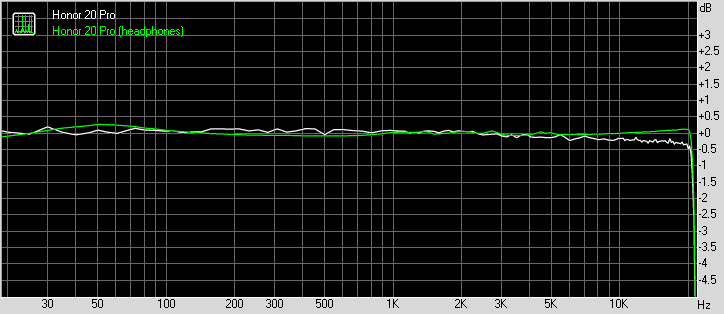
Honor 20 Pro frequency response
You can learn more about the tested parameters and the whole testing process here.
Magic UI 2.1 on top of Android 9.0 Pie
Like most Honor devices, the 20 Pro also comes with Magic UI 2.1 on top of the Android 9.0 Pie OS. Essentially, it's identical to the software we've reviewed on the Honor View 20 but we will go over it again as there are some small additional tidbits.
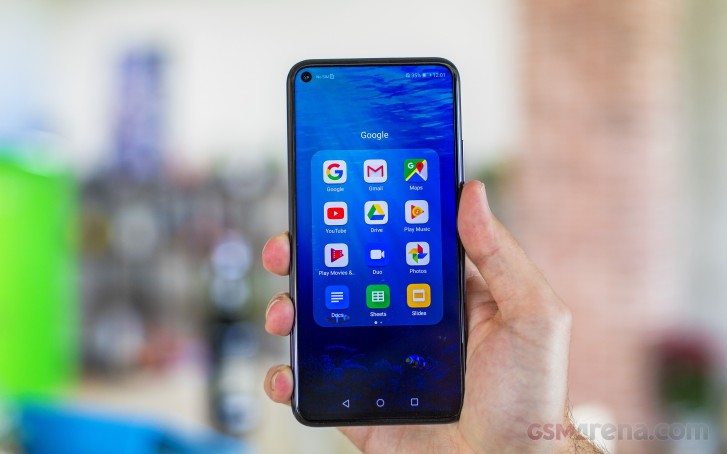
In a typical Honor/Huawei fashion, the default state of the UI is without an app drawer. You can always change that in the Settings menu under the Home screen and wallpaper sub-menu. You can also disable the Google feed panel that comes out when you swipe to the right from the home screen. And as for the notification shade and the recent apps menu - there are no changes here. If you are coming from another Honor or Huawei device, you will find the navigation familiar.





Home screen, lock screen, recent apps and notification shade
Speaking of navigation, the Honor 20 Pro gives you the option to opt for the gestures instead of the regular software keys. They are Huawei's standard gestures - swiping from the left or right side of the screen. Swiping from the bottom brings you back to the home screen and swipe and hold brings out the recent apps menu. Keep in mind that the back gesture from the left edge of the screen might interfere sometimes with apps that have the so-called hamburger menu. Also, if you are using the handset in landscape orientation, the back gestures are moved to the top and bottom edge. Interestingly, to activate the gestures you have to go into the System sub-menu and tap on System navigation. An odd place to put the navigation options.
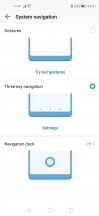
Navigation options
And since the phone has a tall aspect ratio, we would have appreciated the option to bring down the notification shade with a single swipe on the home screen. Unfortunately, this gesture opens up the app search.


General settings menu
If you are hating the punch-hole as much as you are hating the notch, Honor has given you the option to hide it. But don't get too excited, though - it only turns the upper part of the screen black so you won't see the camera but the notification icons, the clock and the battery status remain up there. You also have the option to hide it only in selected apps. On the other hand, as we already stated in our Honor View 20 review, the punch-hole isn't as obtrusive as a notch so in most cases, it won't get in the way even when playing games or watching content.
Interestingly, the Display sub-menu also offers the option to switch to lower HD+ resolution as opposed to the native FHD+. The reasoning behind it is that it saves up battery but as past experience has shown us, it's only minimal as the same pixels light up but you off-load the GPU a little. You will benefit from this option only if you are doing intensive gaming sessions. We recommend that you leave it on Smart resolution as the system will utilize the appropriate resolution depending on the scenario.

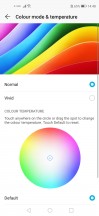

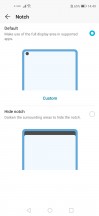
Display menu and "notch" options
Moving onto the battery section, we see all the familiar settings from previous Magic UI/EMUI versions. You've got three power modes - high-performance that draws more juice from the battery, normal power saving mode and an ultra-power saving mode. The latter aggressively limits the functionality of the handset to extended the battery life.
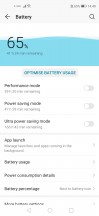
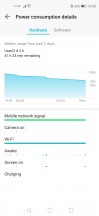
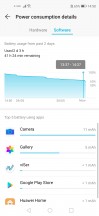

Battery menu and options
The App launch sub-menu might be of particular interest to you. Since the Magic UI and EMUI are quite aggressive towards background-running tasks and apps, the system often kills off some messaging apps or other software that you might need running in the background to receive notifications. You can whitelist the desired apps to prevent that from happening.
Security and privacy is where the biometrics are located. You can set up the fingerprint from there with some additional options. The face unlock is in there as well but keep in mind that it's less secure due to the lack of any additional scanning tech - it relies only on the standard front-facing camera. It's pretty fast and convenient, though, we give it that.



Security and biometrics
A couple of more useful gestures are buried within the Smart assistance menu. The Shortcuts and gestures sub-menu contains all those options like starting the split-screen mode, start recording your actions on the screen or just take a screenshot. All those with your knuckles, how cool is that? And maybe a bit over the top as well. The rest of the actions are pretty self-explanatory.


The shortcuts and gestures menu
Honor has pre-loaded a couple of apps of its own as well. For example, the Music and Gallery apps are proprietary, as well as the Browser. Almost all of them have their alternatives in the Play Store but unfortunately, you can't uninstall the system apps - only disable them.
Overall, the Magic 2.1 UI runs smoothly on the Kirin 980 and we weren't expecting anything less. It's also one of the heaviest customizations of Android OS so purists will have hard time getting used to but others will appreciate all the available features and options.
Performance
The Honor 20 Pro comes with the well-known Kirin 980 chipset that powers up all of Huawei's and Honor's flagships. It incorporates an octa-core CPU with 2x Cortex-A76 cores clocked at 2.6 GHz, 2x Cortex-A76 cores ticking at 1.92 GHz and 4x smaller Cortex-A55 cores running at 1.8 GHz. It also has a Mali-G76 MP10 GPU and our unit is paired with 8GB of RAM and 256GB of internal storage. Since the Kirin 980 is based on the 7nm, it's also energy-efficient as shown in our battery tests.
In addition, Honor has introduced a thin graphene-based sheet on top of the SoC to help heat conductivity and thus keeping temperatures lower for longer periods of time ensuring smooth and consistent gaming performance.
Unfortunately, though, we weren't able to run any synthetic benchmarks on our unit but we are fairly certain that the results won't be any different than the ones we got on the Honor View 20 as it sports the same display, chipset and software.
Quad-camera setup with 48MP f/1.4 main sensor
One of Honor's centerpiece features is the four-camera module on the back. What's more, all four cameras have a photographic purpose, there are no depth sensors - just cameras.
The main camera is the flagship Sony IMX 586 sensor from the Honor View 20 but with a twist - it also has OIS and the industry's first f/1.4 aperture. The sensor uses Quad-Bayer technology by binning four pixels into one, effectively shooting in 12MP. You know the rest - the net result is getting sharper images, better low-light performance, and reduced noise.
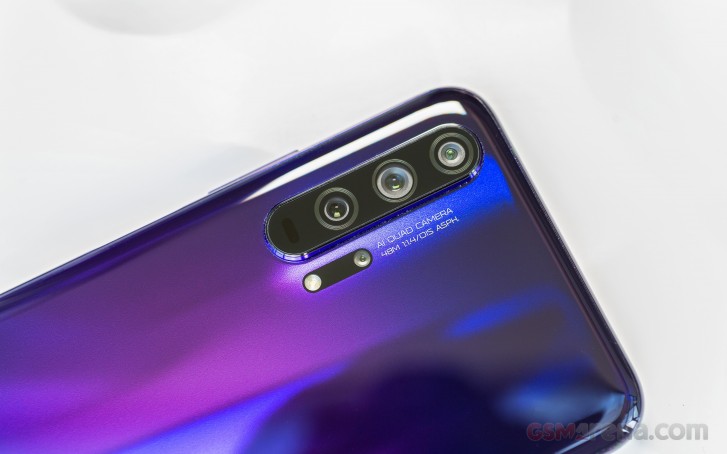
The second on the list is the stabilized telephoto lens. It has an 8MP sensor, f/2.4 aperture, 80mm, which translates into 3x optical zoom. Honor says it can also do 5x hybrid zoom with minimal loss in quality.
The third is a 16MP unit with f/2.2 for ultra-wide snaps, but unlike the first two, it lacks OIS and doesn't have autofocus so it may be limiting in certain scenarios where the subject isn't at the optimal distance.
And finally, the fourth one is a dedicated macro lens with 2MP sensor and f/2.4 aperture. It has a fixed focus of just 4cm.
In addition to all four sensors, Honor has included a laser autofocus system, but since it works at a limited range of 1-2m, it only comes in handy when shooting with the main camera.
Finally, the punch-hole houses a 32MP sensor with f/2.0 aperture and surprisingly, there's no 4-in-1-pixel tech at play here - the camera outputs the full native 32MP resolution.
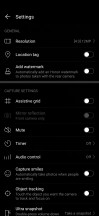
Camera menus
Before we get to examining image quality, let's take a look at the camera menus and what modes you can play around with.
The camera app hasn't changed much in the last Magic UI/EMUI iterations, and it's pretty similar to the default app of other manufacturers. Swiping left and right cycles between different camera modules while the "More" tab reveals tons of other modes you can play around with. There's the aperture mode usually used for bokeh on subjects that are not human faces and also the Super Macro mode.
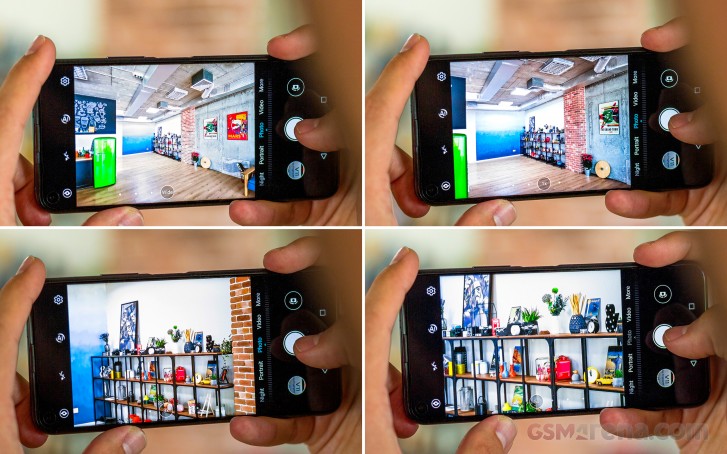
What we found annoying are the portrait effects. Once you switch to Portrait mode, you have the option of choosing between different effects, and the "Circles" effect turned out to be the standard Portrait mode. If you disable the effects you end up with a normal picture without the background blur.
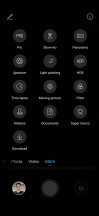
Camera menus
Daylight sample photos
At first glance, the daytime photos look great. They are sharp without going overboard with the sharpening, colors look pretty natural and dynamic range is impressive. However, there's some noticeable blur in some of the shots, and we can't figure out why. And it appears to affect only a small portion of the image, not a particular area near the corners which could have been explained with lens issues.






Standard photo mode






Standard photo mode
Turning on the AI will result in higher contrast and colors that look a bit over the top. They sure look instagrammable, though.



AI photo mode
For our comparison below we only took shots using the 48MP AI Ultra Clarity mode as it produces a bit better images than the standard 48MP mode even though each shot takes a second or two longer. Even with this enhanced mode, we still stand by our past conclusions that you are better off using the Sony IMX 586 sensor in its 12MP mode - dynamic range and detail are inferior to the 12MP samples. Noise becomes more pronounced too.






48MP AI Ultra Clarity mode
Moving onto the telephoto lens, we can say the image processing isn't all that different than the photos by the main camera. We've got good dynamic range, nice colors and no loss in detail at 3x zoom. Even at 5x hybrid zoom, the camera was able to deliver surprisingly good stills. They can easily make it to your social networks' feed - the loss of detail is minimal. As long as there's sufficient light, of course.






Telephoto: 3x • 5x • 3x • 5x • 3x • 5x
The ultra-wide camera, on the other hand, is just about average. The overall quality isn't that impressive - colors are washed-out, dynamic range isn't up to par when compared to the other two cameras. It tends to push the highlights a bit too much. Also, the lack of autofocus can be limiting at times.






Ultra wide-angle samples
The ultra-wide aside, the Honor 20 Pro is neck to neck with the Huawei P30. Image processing is identical, and we were hard-pressed to find any noticeable difference between the two when shooting stills with the main and the telephoto cameras. The Huawei P30 comes out on top in the ultra-wide race.



Honor 20 Pro vs Huawei P30 daylight: 20 Pro • P30 • 20 Pro • P30 • 20 Pro • P30




Honor 20 Pro vs Huawei P30 telephoto: 20 Pro • P30 • 20 Pro • P30 • 20 Pro • P30




Honor 20 Pro vs Huawei P30 ultra wide-angle: 20 Pro • P30 • 20 Pro • P30 • 20 Pro • P30 • 20 Pro • P30
Low-light sample photos
Low-light performance is stellar. Once again we couldn't find any difference between the Honor 20 Pro and the Huawei P30 in terms of how they handle low-light scenery. Also, the new AIS Super Night Mode doesn't go overboard with the sharpening - it's just the right amount. It also improves the dynamic range of the photos and reduces noise significantly.






Low-light samples: Normal • Night Mode • Normal • Night Mode • Normal • Night Mode • Normal • Night Mode
We can also recommend the Night Mode when using the telephoto camera as it reduces noise and brings out a lot more detail. The results when shooting with the telephoto lens without the Night Mode are unsatisfactory. It's also tough to maintain focus on the subject although, the OIS is much-appreciated in this particular scenario and does help a lot.




Honor 20 Pro low-light telephoto: Normal • Night Mode • Normal • Night Mode
The same goes for the ultra wide-angle camera. Its weaknesses become more prominent when there's no sufficient light. The Night Mode largely improves the overall quality by reducing the noise and introducing a lot more detail to the scene but don't expect wonders. Overall, the ultra wide-angle camera's performance is just about average, and by that we don't mean "flagship average", unfortunately.






Honor 20 Pro low-light wide-angle: Normal • Night Mode • Normal • Night Mode • Normal • Night Mode
And here's how the Honor 20 Pro stacks against the P30 in night scenery.



Honor 20 Pro vs Huawei P30 low-light: 20 Pro • P30 • 20 Pro • P30 • 20 Pro • P30
Once you are done with the real-life scenarios, take a look at our samples taken in a more controlled environment and how the Honor 20 Pro stacks against the competition.
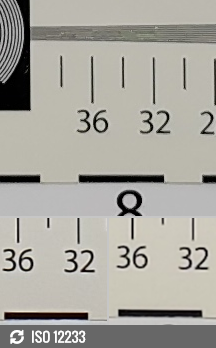

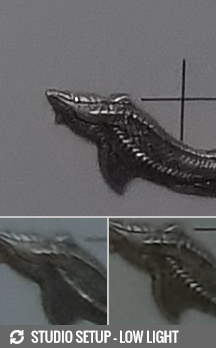
Honor 20 Pro against the Samsung Galaxy S10e and Asus Zenfone 6 in our Photo compare tool
And here are our 48MP samples.
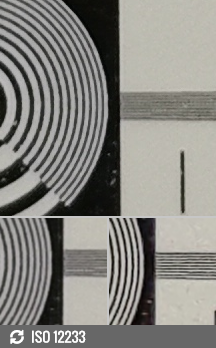
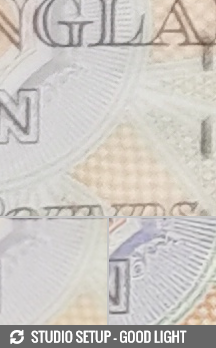

48MP mode: Honor 20 Pro against the Honor View 20 and Asus Zenfone 6 in our Photo compare tool
Portraits
Portrait shots turned out surprisingly well. We got a natural skin color and plenty of detail. The edge detection is quite nice, even with a more complex background, the software did a fantastic job. We also found that the telephoto camera is also capable of doing great portraits with almost identical processing. The edge detection looks even better while the background blur is more natural-looking. Keep in mind, though, that since the telephoto lens captures less light, portraits will come out slightly underexposed so make sure there's sufficient light.




Portraits: Normal • 3x optical zoom • Normal • 3x optical zoom
Selfies
Selfies look great. Although there's no autofocus, the focus distance seems to be optimal at around half arm's length. The 32MP photos offer great sharpness, detail and natural skin tone. Dynamic range is above average but you might struggle balancing the shadows and highlights in sub-optimal conditions. The portrait mode, as expected, isn't as good as on the main and telephoto camera but it was to be expected - there are no additional sensors used for depth sensing - it's all just software. It finds it difficult to manage hair in some cases.


Normal selfies



Portrait selfies
Macro camera
Here are a couple of macro samples from the dedicated macro camera. The detail is surprisingly good for a 2MP unit, but you do have to get close to the subject as the fixed focus distance is just 4cm.


Super macro mode
We also wanted to see if you are better off using the main camera for macro shots. Of course, the optimal focus distance on the main unit is much further but you can crop the image to get the same level of magnification as the macro camera as we've done below for comparison's sake.






Macro vs normal cameras: Macro • Normal cropped • Normal • Macro • Normal cropped • Normal
It turns out that the main camera takes photos with better contrast, punchier colors and generally more detail. If you don't mind the hassle of cropping after you've taken the shot (the gallery has the functionality), the macro lens will hardly be needed.
Video recording
The handset can record in 2160@30fps and 1080p@30/60fps - EIS and OIS work together to deliver smooth video recording. Moreover, all three cameras can record in 4K - the main, the telephoto and the ultra wide-angle. Here are some samples.
The main camera does a pretty good job delivering good dynamic range, nice contrast, no visible noise and punchy colors.
The ultra-wide angle, however, starts to lose some detail along the edges, which was to be expected, and also loses some information in the shadows, meaning that the dynamic range isn't as good.
Surprisingly, Honor didn't add any artificial sharpness but due to the nature of the telephoto lenses, expect less detail and slightly darker videos overall.
Once you are done with the real-world videos, take a look at how it stacks against the competition in a more controlled environment.
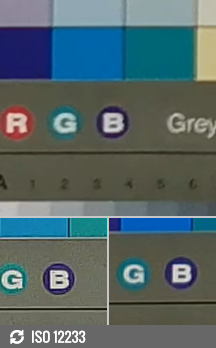

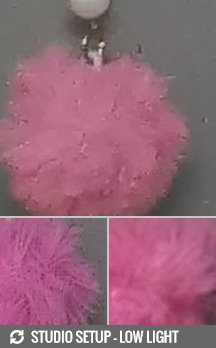
2160p: Honor 20 Pro against the Asus Zenfone 6 and Samsung Galaxy S10e in our Video compare tool
Competition
The Honor 20 Pro has a lot to offer, that's for sure but there also seems to be a lot of competition in this price range. At around €600 starting price, the Honor 20 Pro meets heavy rivalry. The quad-camera setup, however, makes it stand out and we are still not sure it's enough to go ahead of the pack.
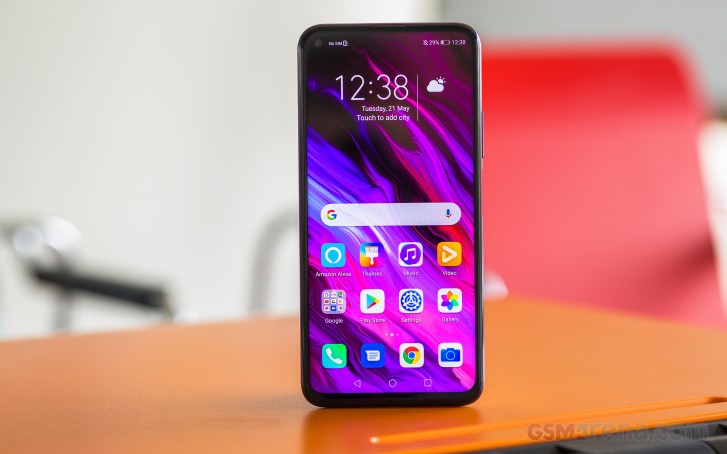
Let's start with the most obvious alternative that seems to be priced shockingly close - the Huawei P30. Huawei's mainstream flagship seems to offer similar user experience as it trades blows with the Honor 20 Pro in a head-to-head battle. The 20 Pro seems to offer longer battery life, a dedicated macro lens, which the P30 doesn't although, this shouldn't be a deal-breaker in any case. On the other hand, the vanilla P30 does offer significantly better viewing experience due to its OLED panel. In terms of camera performance, you won't find any difference between the two with the small exception of the ultra wide-angle lens where the P30 seems to do it better.
Another honorable mention from Honor's camp is the View 20, which price seems to have gone down since our review and now reflects the handset's capabilities much better. It's still pretty hard for us to recommend the View 20 over the Honor 20 Pro, though.


Huawei P30 • Honor View 20
Next down the list is Asus' recently announced Zenfone 6, which seems to offer better value for its price. Launching for €100 less, the Zenfone 6 is hard to beat with its powerful Snapdragon 855 chipset and cool and functional rotating camera mechanism. Especially if you tend to snap selfies more often than not. Battery life is also better and there are no obstructions on the front of the display, which is, by the way, still IPS LCD. The significantly lower price makes it easier to swallow, though. Also, the near stock Android experience can be considered as an advantage by some.
The camera department is where the Honor 20 Pro comes out on top with its fully capable quad-sensor module. It has the mandatory ultra-wide and telephoto lenses along with a dedicated macro lens that could come in handy in some situations. The Zenfone 6, on the other hand, settles for a dual-camera setup with one of them being the ultra-wide.
Another popular and also cheaper alternative is once again for the Android purists of some sort. The OnePlus 7 has a lot to offer with its great OLED panel, good battery life (judging by its close connection with the OnePlus 6T, we imagine it will have the same if not better battery life) and snappy Android experience. The stereo loudspeakers and the under-display fingerprint are appreciated as well. But once again, if you are looking for the superior camera experience, the Honor 20 Pro is the way to go.
And finally, a more compact alternative coming from the Korean tech giant - the Samsung Galaxy S10e. Although smaller, the Galaxy S10e surprises with awkwardly placed side-mounted fingerprint reader but matches the Honor 20 Pro's camera quality and even beats it in the ultra-wide department. Samsung's very own Dynamic AMOLED panel is by far one of the best in the industry so it's something worth considering when choosing between the two. And it might save you a few bucks too. However, the telephoto lens is still lacking and battery life won't be as good.



Asus Zenfone 6 ZS630KL • OnePlus 7 • Samsung Galaxy S10e
Verdict
All in all, the Honor 20 Pro is a great alternative to ever-growing prices of today's flagships even though the handset isn't the cheapest ones around. It enters the premium territory easily. And if you are willing to overlook the IPS LCD panel, the lack of 3.5mm audio jack and the punch-hole camera design, the Honor 20 Pro is an excellent all-rounder.
There isn't much to complain about, really. We've got flagship-grade SoC on board, outstanding battery life, great camera experience across the board (with the small exception of the ultra wide-angle lens) and excellent design and build. That 3D gradient effect on the back really is mesmerizing.
The absence of 3.5mm audio jack and microSD card support could steer away some potential buyers. On the other hand, Honor provides a USB-C-to-3.5mm audio dongle and the handset comes with 256GB of internal storage, which is a lot. There aren't a lot of phones in this price range with 256GB flash storage. Chances are you won't be needing an additional memory card so the slot for that won't be missed.
All our testing and analysis, however, could remain theoretical as there's no solid confirmation from Honor whether the handset will be released following the US trade ban. But we hope it makes it to the global market eventually. Over time, the price will fall and it will become an even better deal than it is.
Pros
- Mesmerizing 3D gradient effect.
- Great ergonomics and fingerprint placement (which is also fast and accurate).
- Excellent camera quality across the board (except for the underwhelming wide-angle unit).
- Battery life is outstanding.
- The standard 8GB/256GB config is really sweet.
Cons
- No 3.5mm audio jack or microSD card slot.
- Doesn't come cheap and an OLED screen would have made the deal sweeter.
- Product future is uncertain due to the US ban on Huawei and Honor.
0 Response to "Honor 20 Pro review"
Post a Comment